
Working Remotely From a Hotel? 7 WiFi and Workspace Tips
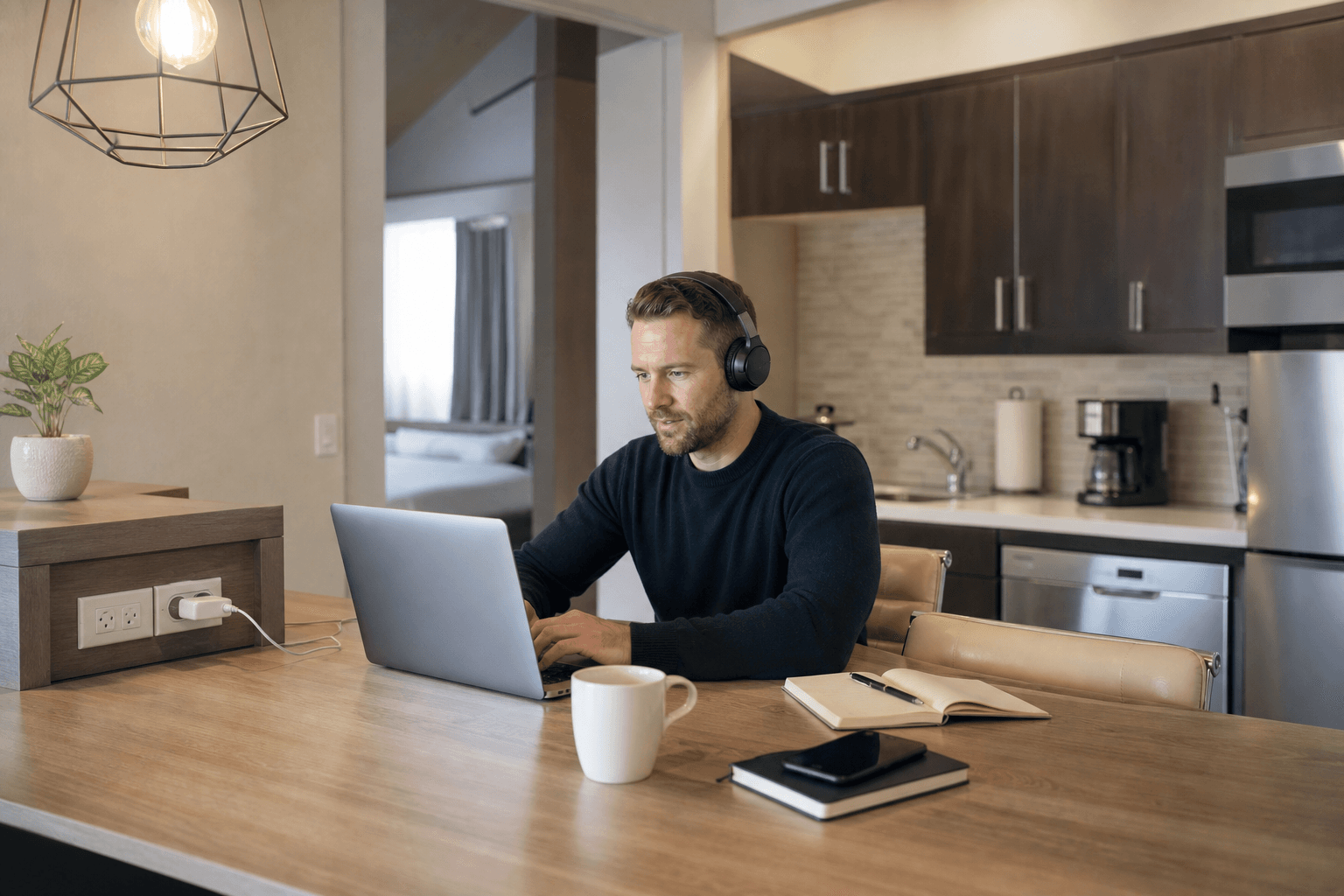
Working remotely from a hotel can be productive, but a low room rate or “free WiFi” label does not tell you whether the stay will support your actual workload. Before booking, evaluate the connection, workspace, privacy, power access, security, and daily conveniences you will rely on.
For a stay lasting several days or weeks, the right question is not simply whether a hotel has WiFi. It is whether the room and property give you a realistic way to work, join meetings, protect company information, and manage ordinary tasks without constant disruption.
Quick summary

- Ask whether the hotel WiFi suits video calls, VPN use, and large files. Free access does not guarantee speed or uptime.
- Confirm that the room has a usable work surface, suitable seating, practical lighting, and accessible outlets.
- Test your camera, microphone, headphones, background, and connection before your first meeting.
- Use employer-approved security tools, updated devices, multifactor authentication, and encrypted access.
- For longer stays, consider kitchens, laundry, parking, and flexible rates because they can reduce everyday friction.
1. Check whether the hotel WiFi fits your actual workload
Start by listing what your work really requires. Email and browser-based tasks may be manageable on an ordinary connection, while frequent video meetings, cloud applications, remote desktops, large uploads, or VPN-dependent systems may require more consistency. A hotel’s “free WiFi” description confirms availability, not a guaranteed speed, bandwidth level, capacity, or uptime.
Ask how guests connect, whether usage limits apply, and what support is available if the login page does not appear. If your work depends on video calls or a company VPN, ask whether guests commonly use those services, but treat the answer as context rather than a performance guarantee. Prepare a backup such as a mobile hotspot if your employer permits it and your plan supports the expected usage.
Homestay Inn & Suites lists free WiFi among its amenities, but it does not publish a guaranteed speed or uptime. Confirm your specific work requirements before relying on the connection for an extended assignment.
2. Evaluate the work surface, seating, and power setup

A room can have excellent internet and still be difficult to work from if your only option is balancing a laptop on the bed. Look for a stable surface large enough for your computer, notebook, mouse, and other materials. Check whether the chair, lighting, and screen position will be tolerable for the number of hours you expect to work.
Power access matters just as much. Ask where the nearest outlets are and whether they are close to your intended work position. If the room has a dining table rather than a desk, consider whether it gives you enough space and whether you can separate work from sleep at the end of the day.
Homestay Inn & Suites identifies dining/work space as a suite feature. That is useful when comparing rooms, although it does not mean every guest receives a dedicated office or ergonomic workstation. These spacious suite setup tips can help you plan a longer-stay room.
3. Prepare for video calls before the first meeting
Do not wait until an important meeting to discover that your camera points at a bed, your microphone picks up hallway noise, or your laptop battery is nearly empty. Test the meeting platform, camera angle, microphone, headphones, and screen-sharing controls using the setup you plan to use for work.
Choose a background that does not reveal more personal information than you intend to share. Face a window or lamp for better lighting, but avoid placing a bright window directly behind you. Headphones can improve privacy and reduce echo, while muting notifications prevents unrelated messages from interrupting a meeting.
If a call is business-critical, confirm the room’s privacy and noise expectations with the front desk. Do not assume a hotel room will be quiet throughout the day. Build in time for a test call and keep a backup communication method available if your employer allows one.
4. Protect work devices and accounts on hotel networks
Hotel WiFi should not automatically be treated as private or trusted. Use your employer’s required security tools, connect through an approved VPN when appropriate, enable multifactor authentication, and lock your laptop whenever you step away. Avoid saving sensitive files locally unless your company’s policy allows it.
Update your operating system, browser, security software, and meeting applications before traveling. Oklahoma’s teleworker security checklist advises avoiding public WiFi for company business unless the connection uses secure encrypted access. Official state guidance also recommends using a VPN on public WiFi and keeping devices updated while traveling.
Follow your employer’s rules rather than relying on the hotel’s network label. WiFi access does not establish that a connection is private, encrypted end to end, or suitable for every type of company data. The state’s guidance on cybersecurity while traveling is a useful reminder to secure devices before connecting.
5. Build a low-disruption workday around the room
Remote work becomes easier when you manage predictable interruptions instead of reacting to them all day. Set working hours, keep chargers and frequently used items together, and tell travel companions when you are in a meeting. If housekeeping arrangements are flexible, ask about available options and choose a schedule that does not conflict with important calls.
Think about sound as well as privacy. If you can choose a room location, ask what options are available, but do not assume a quiet-room guarantee. Keep a second location in mind for a short call or focused task if the room becomes unsuitable, subject to the property’s policies.
A simple routine also helps: start with a connection check, keep water and work essentials nearby, take breaks away from the screen, and reset the room at the end of the workday. These habits make a temporary room more predictable without requiring office-style facilities.
6. Use extended-stay amenities to remove everyday friction
For a multi-day or multi-week assignment, productivity depends partly on what happens outside working hours. A full kitchen can reduce the need to leave for every meal, while on-site laundry can make packing and errands easier. Free parking may simplify daily travel if you are driving to a job site or moving between locations.
Confirm what the kitchen includes rather than assuming every “kitchen” is the same. Homestay Inn & Suites describes full kitchens with cookware and dishes, dining/work space, free WiFi, free parking, on-site laundry, and cable TV. These features can support self-catering and a settled routine, but they do not guarantee a particular work outcome or personal savings.
Longer stays also make the rate structure important. Homestay Inn & Suites offers nightly, weekly, and longer-stay options, with weekly and monthly rates described as providing greater savings for longer stays. Compare total cost, included amenities, cancellation terms, and length of commitment rather than looking only at the nightly figure. This in-suite kitchen meal planning checklist can help you confirm the details that matter.
7. Ask targeted questions before booking
Specific questions produce more useful answers than asking whether a hotel is “remote-work friendly.” Use this checklist before committing:
| Area | Questions to ask |
|---|---|
| WiFi | How do guests connect? Are there usage limits? Is it commonly used for video meetings and VPN access? |
| Workspace | Does the room include a desk, table, or dining/work surface? Where are the nearest outlets? |
| Calls | Can you request a room location that suits your schedule? What privacy or noise expectations apply? |
| Housekeeping | How are visits scheduled, and can they be coordinated around work hours? |
| Support | Who should you contact if you cannot connect or need help outside daytime hours? |
| Longer stays | What kitchen equipment, laundry access, parking, and weekly or monthly rate options are included? |
Also confirm check-in and check-out times, cancellation terms, room type, and whether the quoted rate applies to your entire planned stay. Asking these questions helps you compare actual working conditions instead of generic amenity labels.
If you are considering weekly or monthly lodging in Oklahoma City, compare the total commitment and included conveniences with this explanation of weekly and monthly hotel savings. The best option depends on how long you expect to stay and how much flexibility you need.
A practical Oklahoma City example
Homestay Inn & Suites illustrates how to evaluate an extended-stay property against this checklist. Its website lists free WiFi, dining/work space, full kitchens, on-site laundry, free parking, and cable TV. The property is at 4601 SW 3rd Street in southwest Oklahoma City, near I-40 and minutes from Will Rogers World Airport.
Those features may suit a remote worker or business traveler planning a longer stay, but they remain starting points for questions. They do not establish a particular WiFi speed, guarantee quiet conditions, or replace your employer’s security requirements. Confirm the details that matter most to your workload before booking.
Frequently asked questions
What should I ask a hotel about WiFi before booking for remote work?
Ask how guests connect, whether usage limits apply, and whether the network is commonly used for video calls, VPN access, and large file transfers. Also ask what support is available if the login process fails. Because free WiFi does not guarantee speed or uptime, prepare a backup connection if your work depends on being online.
Is hotel WiFi safe for working with company information?
Do not assume it is private simply because a password or room number is required. Follow your employer’s policy, use approved encrypted access or a VPN where appropriate, enable multifactor authentication, keep devices updated, and lock them when unattended. Avoid sensitive work on unsecured public WiFi unless it is protected through an approved secure connection.
What room features matter most for working remotely from a hotel?
Prioritize a connection suited to your workload, a stable work surface, comfortable enough seating, accessible power, suitable lighting, and privacy for calls. For longer stays, a full kitchen, laundry access, parking, and flexible weekly or monthly rates may reduce daily errands. Confirm each feature directly because room layouts and policies can vary.
Conclusion: choose for work readiness, not WiFi alone
A hotel can support remote work when its connectivity, room setup, privacy, security expectations, and everyday amenities fit the way you actually work. Check the network instead of trusting a generic WiFi label, test your call setup, secure your devices, and plan for interruptions before they affect an important deadline.
For several days or weeks in Oklahoma City, kitchens, dining/work space, laundry, parking, and longer-stay rates can be as relevant as internet access. Use targeted questions to compare those details, then choose the property that matches your workload and required security practices.
To review an extended-stay option in southwest Oklahoma City with full kitchens, free WiFi, dining/work space, on-site laundry, and weekly or monthly stay options, visit Homestay Inn & Suites.